In the digital economy, speed is revenue. A slow-loading website doesn’t just frustrate your users; it actively destroys your search engine rankings and kills conversions before a lead even contacts you. For businesses in competitive markets like Chennai and across Tamil Nadu, a fast website is no longer a luxury—it is a baseline requirement for trust.
At Nexa Digital, we specialize in high-stakes web engineering, often optimizing complex directory sites and auction platforms handling tens of thousands of dynamic posts. We know that standard “speed plugins” are just a bandage. True performance requires engineering.
Before you install another caching plugin, here are the 5 essential performance checks every professional WordPress site must undergo.
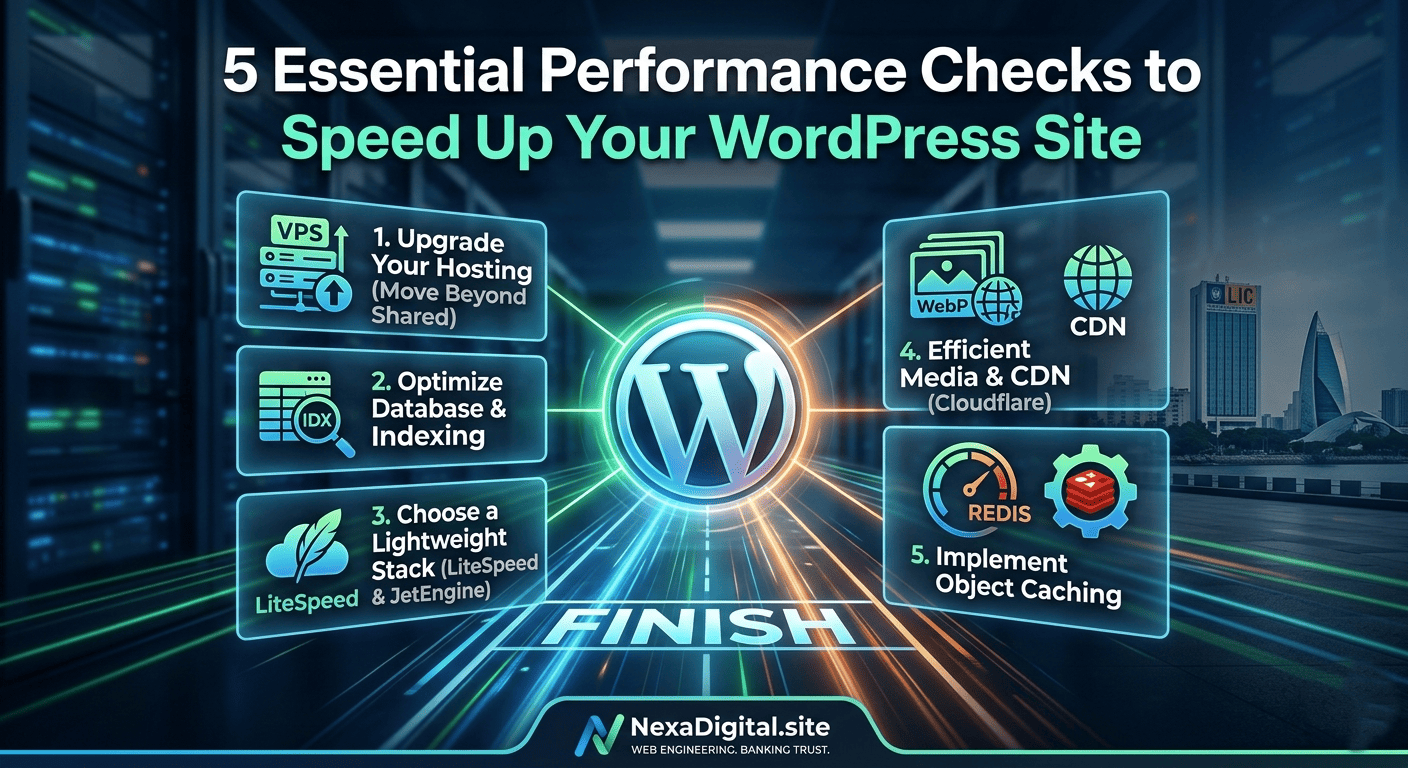
Check 1: Your Foundation — Move Beyond Shared Hosting
The single biggest bottleneck for WordPress performance is the underlying infrastructure. Many small business owners in Chennai start on cheap, shared hosting plans (like basic HostGator or Bluehost shared tiers).
Why it’s a bottleneck: Shared hosting means you are competing for CPU and RAM resources with hundreds of other websites on the same physical server. If one site spikes in traffic, your site slows down.
The Performance Check:
- The Upgrade: For any business that relies on its website for leads or sales, you must migrate to a Virtual Private Server (VPS) or a dedicated cloud solution.
- Why Nexa Digital Recommends VPS (e.g., AlexHost, UltaHost, Hetzner): With a VPS, you have dedicated resources. Combined with a modern web server stack like LiteSpeed (instead of older Apache), your foundation is set for speed.
Check 2: The Core — Advanced Database Optimization & Indexing
This is where true engineering expertise separates a professional build from a basic installation. WordPress stores everything (posts, pages, user data, plugin settings) in a MySQL database.
Why it’s a bottleneck: As your site grows (especially if you manage dynamic content like real estate or bank auction listings), your wp_postmeta table becomes bloated. Standard WordPress queries become incredibly inefficient, causing the server to struggle. A large table with 10,000+ entries without proper indexing will grind your site to a halt.
The Performance Check:
- Database Cleanup: Don’t just use a standard optimization plugin. Your check must involve pruning old overhead, unused plugin data, and orphaned meta keys.
- The Nexa Digital Edge: Custom Indexing. When we built complex auction platforms, we implemented custom database indexing on critical columns. This allows the database to find the exact data it needs in milliseconds, rather than scanning millions of rows.
Check 3: Your Development Stack — The “Lighter” Architecture
Not all WordPress tools are created equal. Many popular drag-and-drop themes and “all-in-one” plugins come with massive amounts of unused code (CSS and JavaScript) that must load on every page visit.
Why it’s a bottleneck: This code bloat increases page size and prevents the browser from rendering the page quickly.
The Performance Check:
- The Solution: Use a “lighter” stack. We advocate for a minimalist theme (like Hello Elementor) combined with powerful, efficient tools like Advanced Custom Fields (ACF) or the Crocoblock/JetEngine ecosystem.
- Why this works: These tools allow us to build highly complex, dynamic functionality (like custom real estate listings or agent profiles) without the code bloat of a generic, pre-built niche theme. We only enqueue the specific code the page needs.
Check 4: Media & Content Delivery — The Efficient Asset Strategy
Your images are the largest files your visitors have to download.
Why it’s a bottleneck: Serving raw JPEG or PNG images, or loading them simultaneously, will destroy your page load time. Furthermore, a visitor in London should not have to download an image hosted physically in Chennai.
The Performance Check:
- WebP Conversions: Ensure all images are served in modern, compressed formats like WebP.
- Lazy Loading: Verify that “lazy loading” is active (images only load when the user scrolls to them).
- Global Distribution: Every professional site must use a Content Delivery Network (CDN), such as Cloudflare. A CDN caches your static assets (images, CSS, JS) on global edge servers, ensuring rapid delivery to any visitor, anywhere.
Check 5: Dynamic Performance — Implementing Object Caching
Standard page caching is great for static pages (like an ‘About’ page). However, for dynamic sites—like e-commerce shops, bank auction directories, or member portals—page caching often cannot be used because the content changes for every user.
Why it’s a bottleneck: Without caching, the server must regenerate the page from scratch for every single visitor, crushing the CPU.
The Performance Check:
- The Solution: Implement Object Caching.
- How it Works: Object caching stores complex database query results in memory (RAM). When the next user needs that same data, the server retrieves it instantly from memory, bypassing the slow database query entirely. At Nexa Digital, we configure solutions like Redis or Memcached on our VPS servers to achieve this “lightning” fast responsiveness on dynamic sites.